Introduction
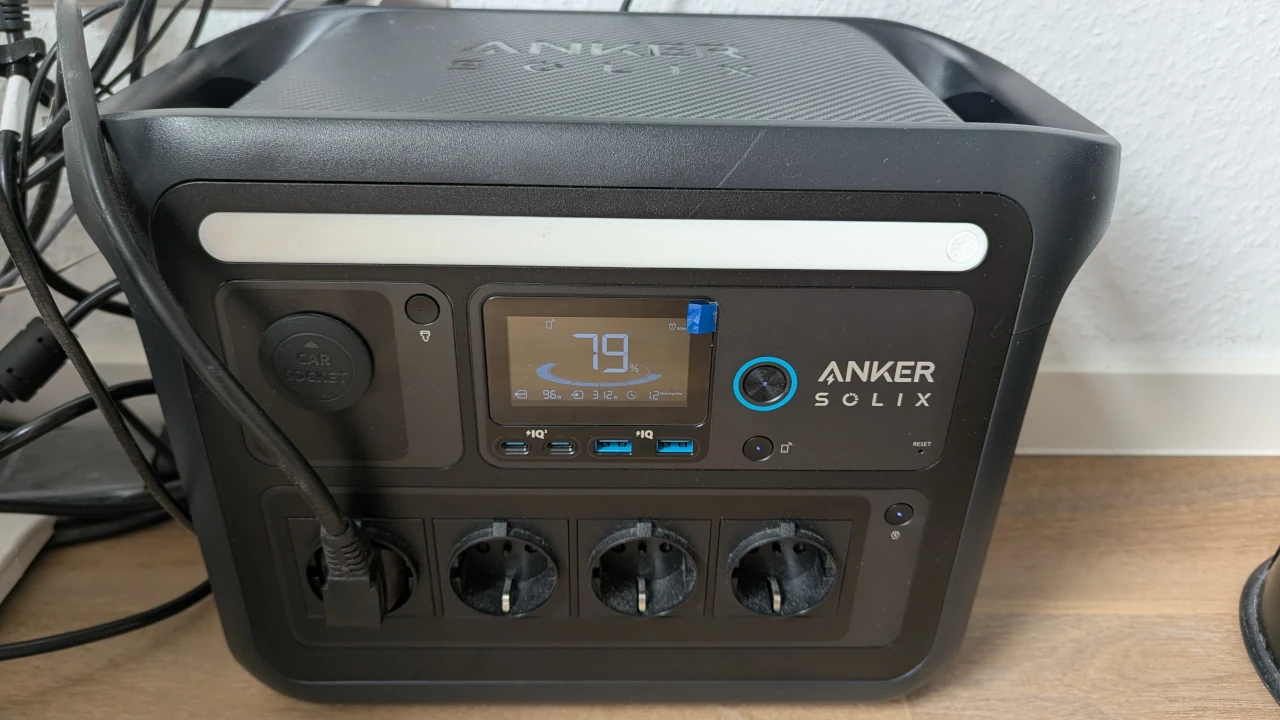
A while ago, I purchased an Anker Solix C1000 portable power station with 1056 Wh capacity and a maximum outlet power of 1 kW. I bought it primarily for camping trips, so it just stood there bored in my basement for the most part of the year. Until I recently started thinking about how I could utilize it better on a daily basis.
The idea: Plug it in front of my office desk setup (my desktop PC, external screen, laptop charger, …), charge it while the share of renewable energy on the grid is high and run my PC, etc. from battery when there’s no sun or wind.
Since I don’t have a dynamic electricity plan, I couldn’t benefit from this financially, but at least have a positive ecological impact by reducing the CO2e intensity of my office work and also help reduce load on the grid during peak hours.
Big picture
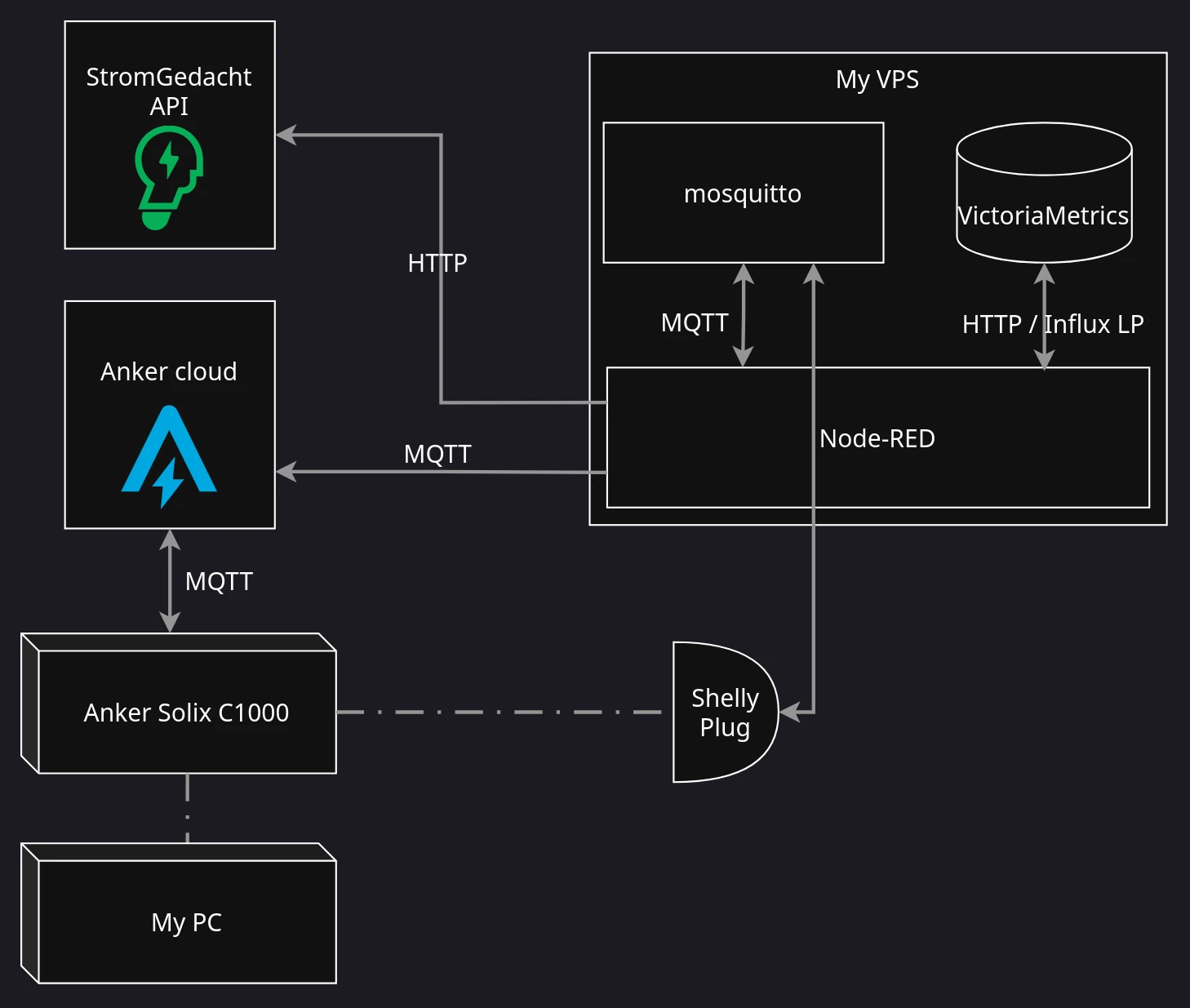
This is how the eventual setup looks like in a bigger picture. I’ll go into the details in the following sections.
Detailed setup
Anker live data access (via MQTT)
For many of Anker’s larger, higher-tier power station series, there is an official web API available. Unfortunately, not so for the portable Solix C1000. But it connect to the Anker cloud via WiFi and the official app allows to view live data from the power station, such as current state of charge, power draw on the different out- and inlets, etc. There must be a way to get access to this raw data, no?
A quick web search led me to the open source anker-solix-api project – a Python library that reverse-engineered Anker’s wire protocol and message formats for many different of their product, including the C1000. Apparently, the Solix sends its live data via MQTT to Anker’s EU-located cloud servers, which the app, in turn, subscribes to it. The project features APIs to get access to these MQTT data streams from Python code. Amazing!
I came up with a small Python script that uses these APIs to subscribe to the relevant topics and print every message to stdout as JSON. Like so:
1 | $ poetry run ./listen_mqtt.py |
The values I’m primarily interested for my small “home automation” project are the current state of charge (main_battery_soc) and, optionally, the current total power draw (power_total_out).
Piping every line into mosquitto_pub allows me to republish those data to my own MQTT broker, which I already employed for other smart home- and energy monitoring purposes, e.g. see my previous article.
1 | poetry run ./listen_mqtt.py | mosquitto_pub -h muetsch.io -p 8883 -u myuser -P ssshhh -t 'anker/c1000/readings' -l |
Data ingest to Prometheus / VictoriaMetrics
As already described in earlier blog posts, I use VictoriaMetrics as a time-series database with Prometheus-compatible interface for storage and querying. Also, I use Node-RED as a low-code platform to automate various tasks, such as data flow and -ingestion.
I composed a flow that subscribes to the above MQTT topic (anker/c1000/readings), applies some basic data transformations and then saves the data to VictoriaMetrics via the InfluxDB line protocol (because there is an already existing Node-RED plugin for this).

From there on, I can already query the data to be visualized in Grafana.
Charge- & discharge automation
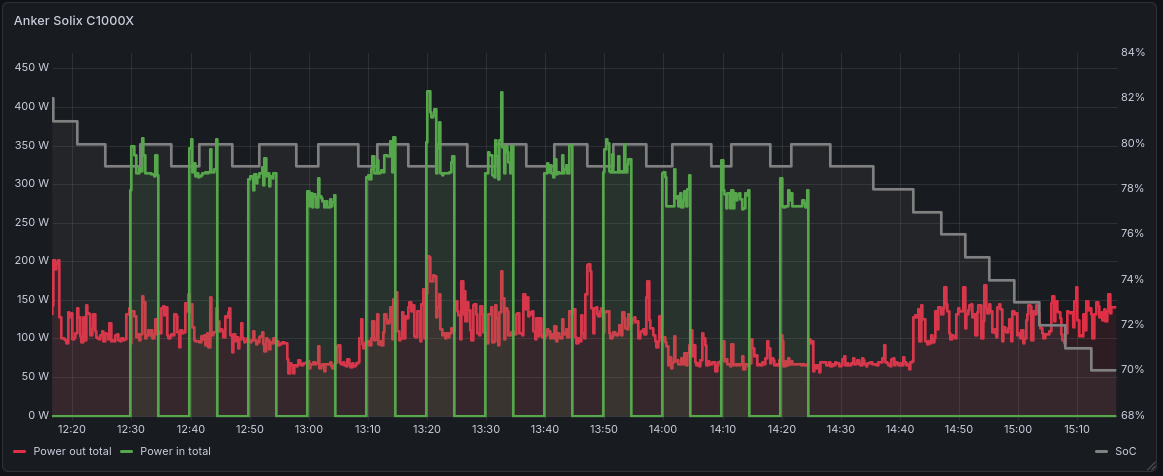
As a reminder, my overall plan is to power my PC from as much renewable electricity as possible. That is, I want it to run from battery while renewables percentage is low and charge the battery during times of high renewables share and / or high grid utilization / bad demand vs. supply ratio.
What we do have at this point:
- Current state of charge (SoC) if the power station ✅
What’s still missing:
- Current renewables percentage / grid utilization ⏳
- A way to actively control the Solix’ charging state ⏳
Electricity grid statistics
Let’s go about the first of the two missing requirements first. We need a way to tell the current percentage of renewables on the grid. I live in Baden-Württemberg, Germany, where the responsible transmission system operator is TransnetBW. A while ago, they released an app – the StromGedacht app – with the purpose to enable consumers to optimize their electricity consumption in accordance with the current grid situation (e.g. run your dishwasher when there’s too much power on the grid). Besides the current grid state (on a scale from red, to super green), they also publish live statistics and forecasts about the current grid load and share of renewables and there’s even an API to retrieve this data. Perfect!
![Screenshot from the StromGedacht app]](images/solix-stromgedacht-screenshot.png)
In the past, I developed stromgedacht-exporter that exposes the StromGedacht data for Prometheus and I’ve already been scraping this data for a while (ingesting it to the above-mentioned VictoriaMetrics database as well).
Controlling charge / discharge via a Shelly Plug S
The last missing piece is a way to programtically control whether my Anker Solix charges or not. Unfortunately, while you can set the maximum charging power of the power station in a range between 100 and 1000 watts, there is no way to entirely turn off charging while the charger cable is connected. In my setup, my PC (and other components) are connected to the power station while the power station, in turn, is plugged into the wall socket permanently.
As a workaround, I use a Shelly Plug S smart plug that I had lying in my cupboard anyway. It connects via WiFi and can be controlled via either a REST API, a Websocket API or with MQTT commands. I opted for the latter (since my entire setup is based on MQTT anyway) and can now programatically toggle the switch like so:
1 | mosquitto_pub -h muetsch.io -p 8883 -u myuser -P ssshhh -t 'shellies/my-shelly-plug/command/switch:0' -m on |
Putting things together as a Node-RED flow
To run the entire automation chain from data gathering and decision logic to switching the smart plug, I came up with a Node-RED flow:

It is triggered based on a scheduled interval (e.g. every 5 minutes) and involves the following steps:
- Query current Solix’ current state of charge, current grid load (in MW) and current residual grid load (aka. the “non-renewables” portion) (in MW) from VictoriaMetrics via its HTTP interface
solixc100x_main_battery_socstromgedacht_loadstromgedacht_residual_load
- Combine these readings into a single message and additionally compute relative share of renewables as
1 - (residual_load / load) - Decide whether to turn the switch on or off by a very simple heuristic
1
switch_on = soc <= 0.2 | (soc <= 0.8 & renewables >= 0.7)
- That is: charge the battery while there is more than 70 % renewables percentage, but only until 80 % charged (to keep battery healthy) or if charge drops below 20 % (so my PC doesn’t go dark)
- Send the control command via MQTT to the plug to physically toggle the switch (and also send a Ntfy.sh notification to my smartphone)
Conclusion
This little side project was primarily a funny and interesting thinkering excerise. It gives my power station another purposes during times where I don’t take it on a camping trip and perhaps has a tiny little impact on my CO2 budget.
What I didn’t take into account though is the efficiency loss caused by the power taking an indirection through the battery now. It might ultimately actually be slightly more expensive (financially and emission-wise) to run this setup vs. just drawing average grid power when needed. Would be interesting to crunch the numbers on that.
Also, you could, of course, go way fancier about the charging control logic instead of my trivially simple rule-based approach. For example, you might adapt charging speed based on the current power draw or take StromGedacht’s load forecasts into account to plan ahead of time. For now, this is way sufficient though and the project was a joyful way to spend today’s public holiday for me.
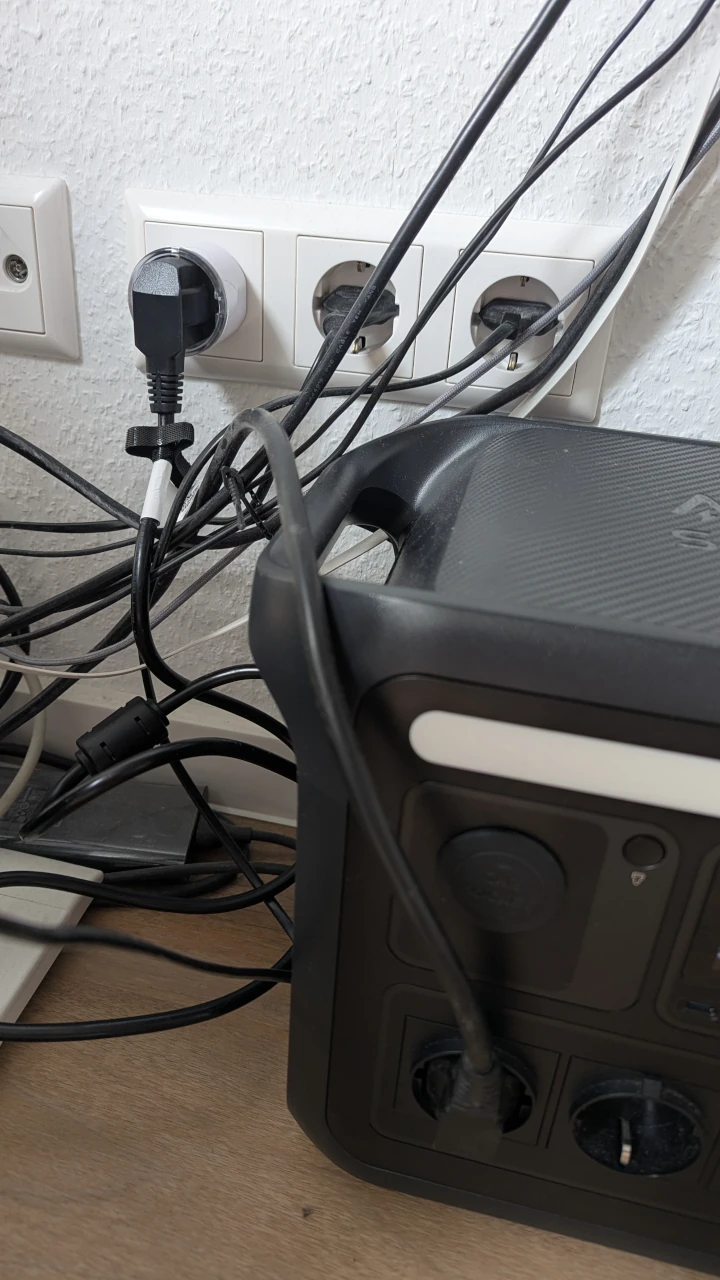
Btw., this is what it currently looks like under my desk:

Comments